
How to Use Word Clouds in the Classroom: Boost Interaction & Active Participation
A strong visual says more than a thousand words – collect ideas, visualize opinions and make every voice count: in just a few seconds you create a shared snapshot of the room that grabs attention and sparks real conversation. Perfect for classrooms, meetings, training sessions, live presentations and workshops – both in-person and online.
Table of Contents
- What is a word cloud – and why does it work so well?
- Use cases – Where you can create a word cloud
- Step by step: Create a word cloud the easy way
- Avoid these mistakes – How to make your word cloud a success
- Using word clouds in modern presentations
- FAQ: How to use word clouds successfully in seminars, meetings and workshops
What is a word cloud – and why does it work so well?
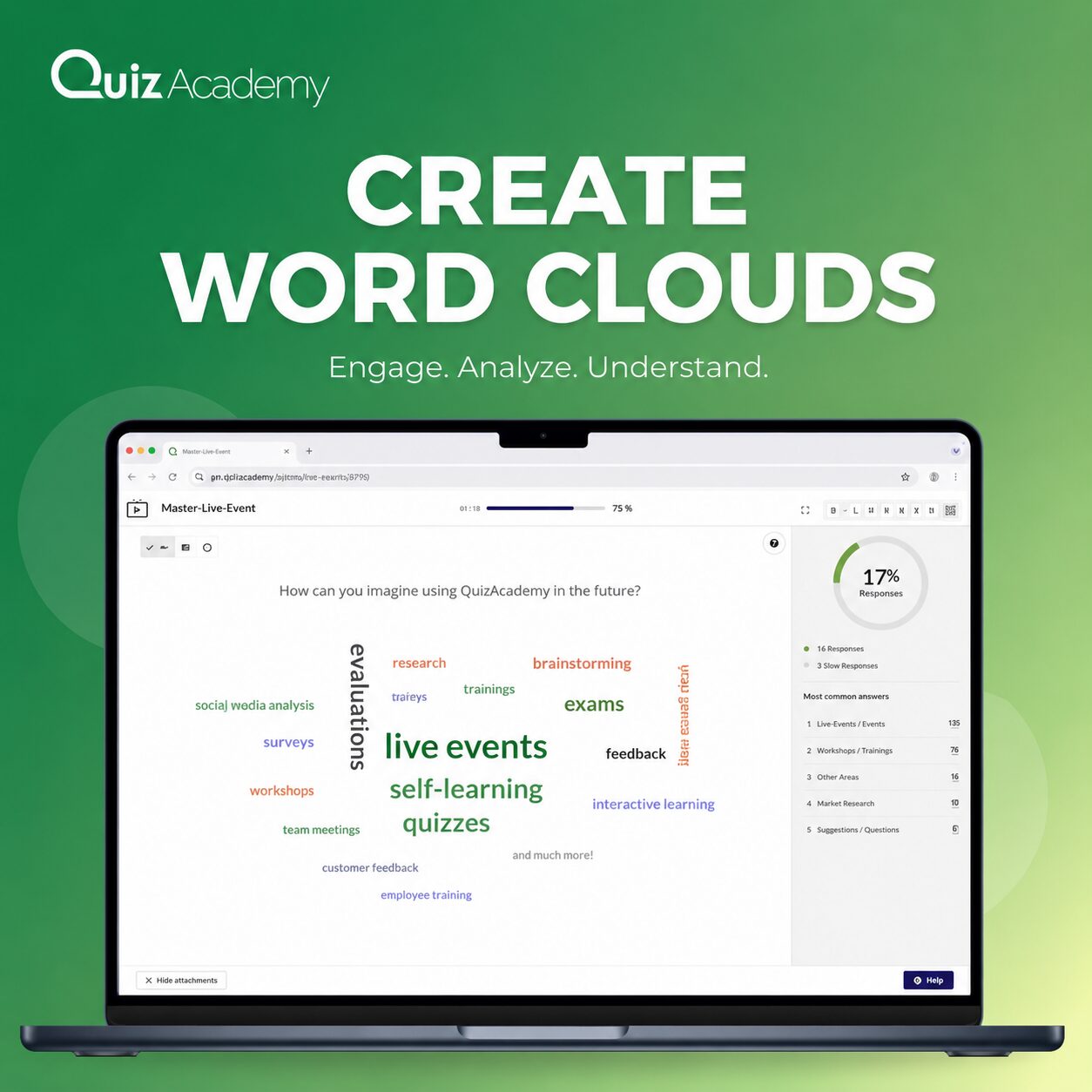
Creating a word cloud is the easiest way to make many voices visible at once. Participants type in their answers on the fly – and the most-mentioned terms appear larger and in the centre. In seconds you get a striking snapshot of opinion that says more than any traditional poll. Despite their simplicity, live word clouds pack a real punch: content is not only delivered, it is felt. You can literally see what the group thinks – live, anonymously and at a glance.
Key benefits of word clouds – why they work so well:
- Everyone has a voice – anonymous and without fear of judgement
- Instant focus on the topic – frequent terms stand out immediately
- Ready-to-use insights – results can be picked up directly and woven into the conversation
- Visual engagement – colourful, intuitive and attention-grabbing
A word cloud in the classroom is the perfect opener – or a powerful energiser at any point of your session, whether as a welcome activity, a creative break in a workshop, or a closing feedback tool. Engagement goes up, the atmosphere becomes more personal – and you walk away with valuable input.
Pro tip: Reach for a live word cloud whenever you want to surface opinions, ideas or expectations – it’s that simple, that effective and that clear.
Use cases – Where you can create a word cloud
Creating a word cloud makes sense anywhere people need to exchange ideas, get activated or brainstorm together – exactly where participation, feedback and creative input matter most. Whether it’s a small team meeting or a keynote in front of hundreds, live word clouds bring everyone on board, turn thoughts into visuals and create genuine moments of dialogue. They drive engagement, reveal opinions at a glance and make complex topics easy to grasp. Word-cloud polls are incredibly versatile – they fit any situation where you need quick feedback, a fast vote, active participation, or simply a structured way to collect ideas.
Typical word cloud use cases at a glance:
Situation | Example Question | Objective |
Kick-off Meeting | “What do you expect from today’s session?” | Engage participants and encourage participation |
Workshop Start | “What words do you associate with XY?” | Make prior knowledge and associations visible |
Presentation/Lecture | “What is your first thought about this topic?” | Increase attention and interaction |
Feedback Session | “What was the most important takeaway for you?” | Encourage reflection and provide closure |
Training/Safety Briefing | “What hazards are you aware of in your work area?” | Draw attention to risks and safety awareness |
Employee Survey | “What motivates you at work?” | Capture perceptions and emotional drivers |
Anonymous Questions | “How would you describe your current financial situation?” | Enable honest and confidential feedback |
Especially with sensitive topics like satisfaction, well-being or finances, anonymous input through a live poll feels safe and encourages honest answers.
Pro tip: Ask open, concrete questions that invite a wide range of short answers – that’s how you get a lively word cloud that delivers real insight. Whether in a small team or a big audience, word clouds bring fresh energy to your presentation.

QuizAcademy gives you a GDPR-compliant, professional way to do exactly that: inside an interactive live event you can launch a poll in seconds, invite participants via link or QR code and then display the results instantly as a live word cloud.
Step by step: Create a word cloud the easy way
You don’t need complex software or any training – building a word cloud takes just a few minutes.
- Define your question – keep it focused and easy to understand
- Choose your tool – e.g. browser-based or built into an interactive presentation platform
- Share the link or QR code – so participants can join with one tap
- Collect answers – live in the room or asynchronously
- Present & discuss the results – visible, structured and ready to act on
Pro tip: Export your finished word cloud as an image or PDF and use it straight away for your documentation, recap email or follow-up slides.
Avoid these mistakes – How to make your word cloud a success
Want to create a word cloud that truly wows your audience? Then it pays to know the typical pitfalls – because with a few simple tweaks you can turn a nice idea into a real highlight of your event.
Common pitfalls – and how to dodge them:
- Vague questions → Phrase them concretely and in plain language
- Low participation → Announce the question early and explain how to join
- Duplicates & typos → Use tools with automatic word grouping
- Inappropriate entries → Enable the profanity filter and moderation options
- Ignoring character limits → Set a sensible max length per answer
Pro tip: Test your word-cloud poll calmly before the real session – you’ll guarantee a smooth experience and win over your audience with a strong, interactive opener.
Using word clouds in modern presentations
Whether in small teams or large audiences, a live word cloud creates instant impact. It’s low-barrier, GDPR-compliant, creative – and incredibly versatile.
Why a live word cloud is simply brilliant during an event:
- Instant visual feedback
- Real-time idea generation
- Perfect for workshops, brainstorming, feedback rounds and classroom evaluation.
- The biggest words give you clear pointers to the topics that matter most.
- Every participant is heard
- Even quieter participants can share their ideas – anonymously and creatively.
- Anonymous feedback on sensitive topics feels safe and produces more honest answers.
This feature is ideal for classrooms, training sessions and presentations that thrive on active participation. Companies use it for mood checks, quick feedback, icebreakers and retrospectives – giving every participant real visibility.
Try QuizAcademy for free and discover how easy it is to create a live word cloud and use it on the spot!
FAQ: How to use word clouds successfully in seminars, meetings and workshops
Why should I create a word cloud?
A live word cloud makes opinions, ideas and the overall mood instantly visible – in a way that stands out and connects people. Especially in live events or workshops, it boosts participation and gives you valuable signals from the group right away.
How does creating a word cloud work technically?
Participants submit words via a link or QR code. The most frequently mentioned terms automatically appear larger – creating a live, visual word cloud. The technology is simple, browser-based and works without any app installation.
When is a word cloud especially worthwhile?
Word clouds are ideal for:
- Kick-offs and event openers
- Brainstorming and idea collection in workshops
- Mood checks in team meetings
- End-of-training feedback rounds
- Anonymous responses on sensitive topics
How many terms can each person submit?
It depends on the tool and your settings. In most cases you can set a maximum character count or limit per participant – ideal for getting concise, focused results.
What if inappropriate words are submitted?
Actively moderate the entries or filter out inappropriate submissions. That way your word cloud stays professional even with a large audience.
Can I reuse the word cloud after the poll?
Yes! You can usually export the results as an image or PDF and use them for follow-up, presentations or your documentation.
Where can I create a poll with a word cloud?
QuizAcademy lets you embed interactive word clouds directly into your live event. GDPR-compliant, intuitive and perfect for digital training sessions, onboarding or presentations.
Learn more: Word Clouds & Live Polls with QuizAcademy